
Use case · Virtual guest recording · San Francisco
Virtual guests, in the room.
Your guest joins from anywhere on a video call. You sit on set with a broadcast mic and your guest on the screen in front of you, while your engineer runs the call, balances every voice, and records the whole conversation in 4K.
Virtual guest recording, also called remote guest or hybrid recording, works like this in our studio: you sit on the podcast set, your guest joins over a video call, and your engineer dials them into the broadcast room. The guest lands in the live-switched 4K feed, every voice is captured on its own track, and you leave the same day with your files. Sessions run $450 per hour with a 1-hour minimum, engineer included.
How a hybrid session runs
You host from the set. We host the call.
Send the invite
We send your guest a video call link before the session. They need a laptop, wired headphones, a quiet room, and steady internet. Everything else happens on our side.
Your engineer runs the call
While you settle in on the podcast set, your engineer dials the guest into the broadcast room, checks their picture and audio, and balances them against your Shure mic.
Record, then leave with files
You talk. The engineer live-switches cameras and the guest feed while the conversation runs. Raw 4K and separated audio go onto your drive the same day.
Your seat on the call
You see your guest. The cameras see you.
You sit at the desk with a Shure broadcast mic and your guest on the screen in front of you, so the conversation feels like a normal video call. Behind the glass, your engineer records your side in 4K, captures the guest feed on its own channel, and switches between you live.
- Your guest on a screen at eye level, so you look at them, and at camera
- Broadcast mic for you, clean call audio from them, on separate tracks
- Wired headphones on your side, so the room stays free of echo
- Two or three cameras on you, switched live with the guest feed
- Works with Zoom, Google Meet, Riverside, or the link we send
Room 03
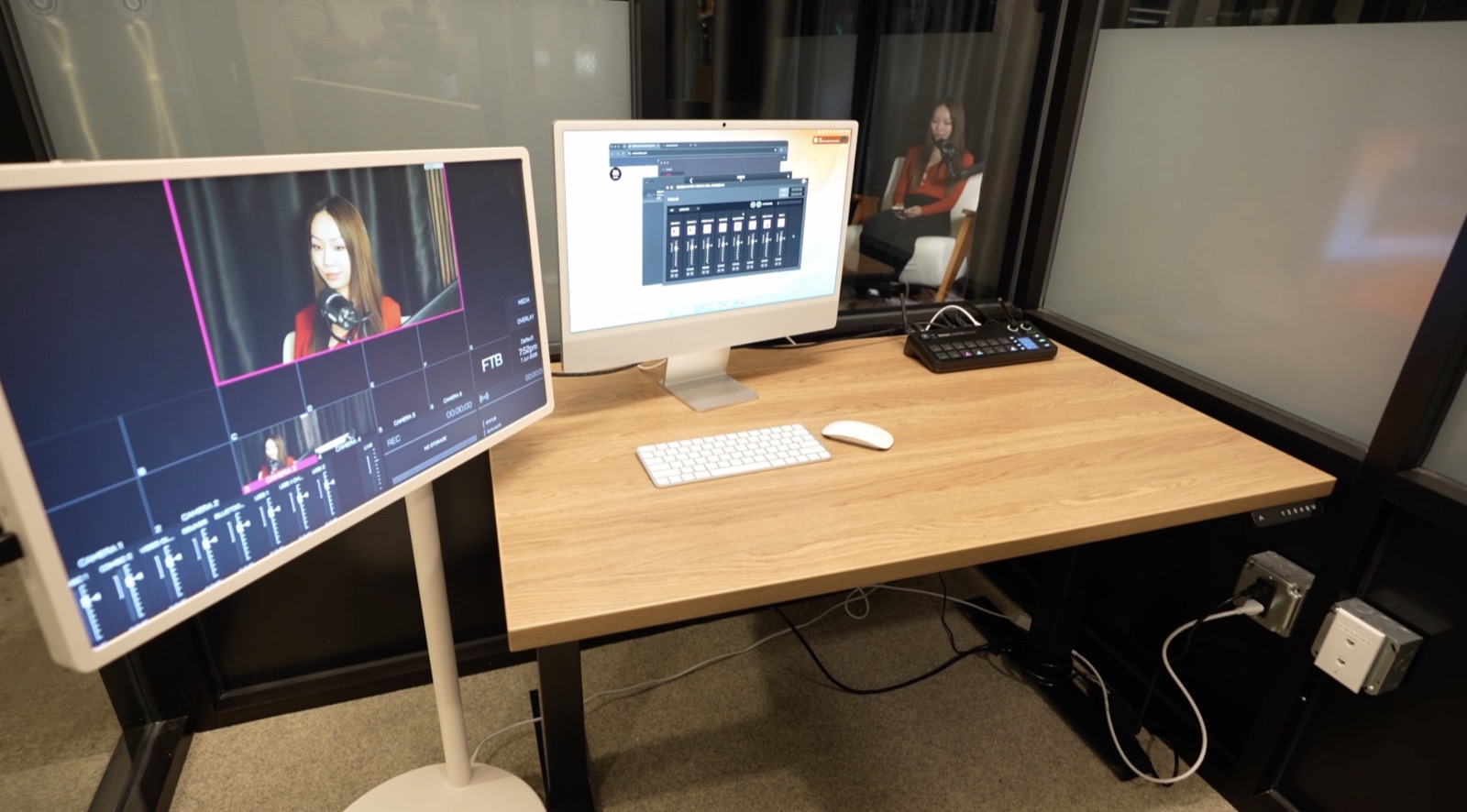
The broadcast room makes hybrid feel simple.
Where the call lives
One engineer. Both sides of the conversation.
Next to the recording areas sits a dedicated control room. Your engineer manages the guest call, live-switches all three cameras, and rides audio for everyone while you stay in the conversation.
- Remote guests dialed into the room
- Live multi-cam switching while you record
- Stream the hybrid episode to YouTube, LinkedIn, or your platform
- Same-day editing happens right here
Hybrid works on every set. Most hosts record from the Podcast & Interview Studio, where the round table and three-camera arc frame you while your guest joins from the broadcast room feed. Solo hosts often pick the Black Backdrop Set for a clean one-chair frame, and fully scripted formats run just as well from the teleprompter desk.
Audio and picture
Why the recording holds up.
Every voice, on its own track.
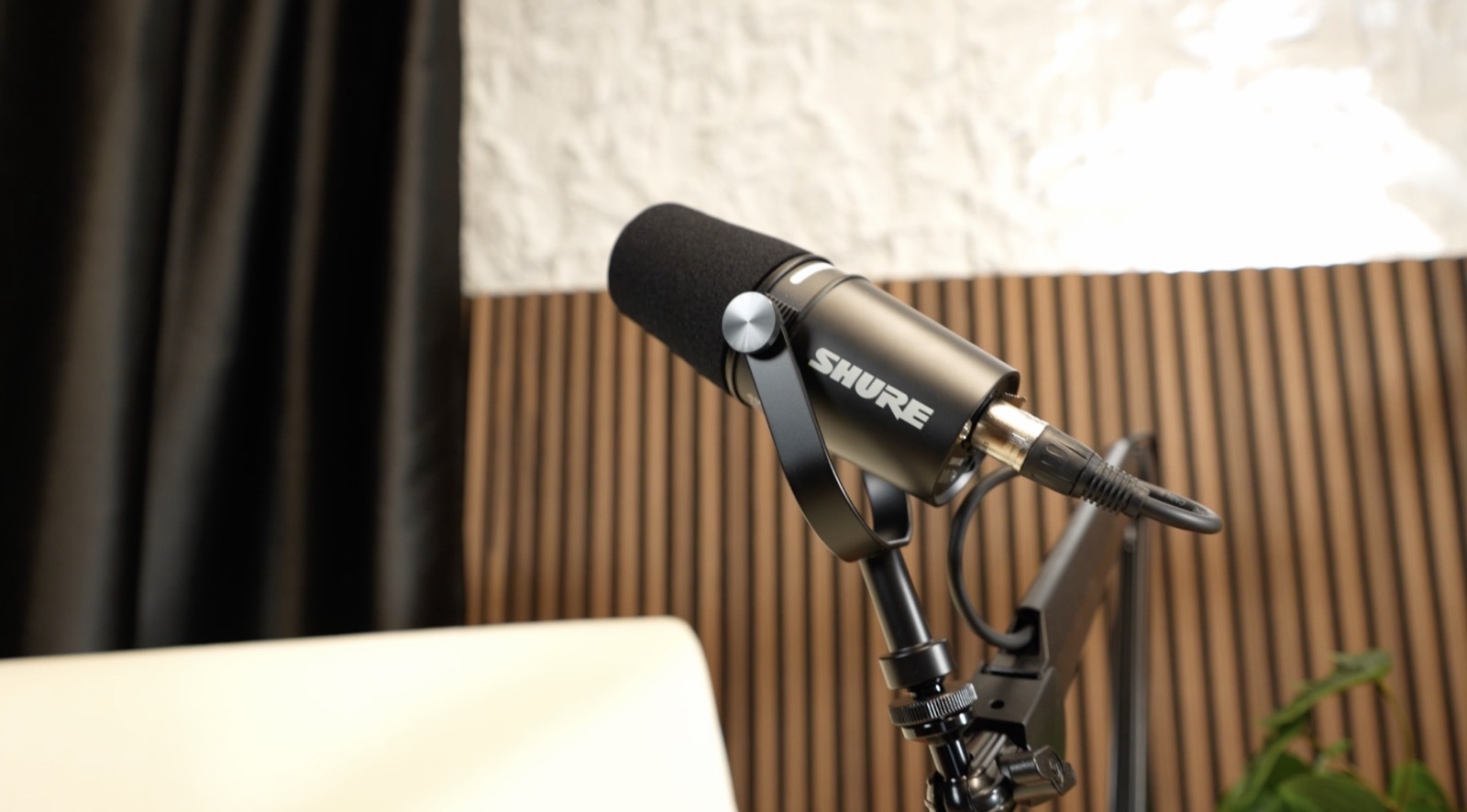 Your side of the call, broadcast grade
Separated tracks matter most on hybrid episodes. Your voice and the guest feed stay independent, so the edit can treat each one on its own. Book podcast editing and post-production with your session and the finished episode, intro, and clips are handled for you. Going out live instead? The same room powers our livestream studio setup, and fully in-person formats are covered on the video podcast recording page.
FAQ
Remote guest questions, answered.
Anything else: call or text (415) 488-6220, or write to hey@bayhauscreative.com.
How does a remote guest join a podcast recording at your studio?+
We send your guest a video call link before the session. At recording time they click it, your engineer dials the call into the broadcast room, and the guest appears in the live-switched feed alongside your cameras.
What does my remote guest need on their end?+
A laptop with a webcam, wired headphones, a quiet room, and a steady internet connection. A window or a lamp in front of their face helps the picture. Everything else happens on our side.
Do I get separate audio for the remote guest?+
Yes. Our mixer records a separated track per mic, and the guest call feed is captured on its own channel, so the edit can balance each voice independently.
Can I livestream an episode with a remote guest?+
Yes. Both recording areas are livestream ready, and your engineer can switch the hybrid conversation live to YouTube, LinkedIn, or your platform from the broadcast room.
Is a virtual guest the same as a remote guest?+
Yes. Virtual guest, remote guest, and hybrid recording all describe the same session: you record on our set in San Francisco while your guest joins over the internet from wherever they are. Your engineer runs the call and the room.
How much does a hybrid session cost?+
Remote guest dial-in is part of the standard Studio Session at $450 per hour with a 1-hour minimum. A dedicated engineer, three live-switched 4K cameras, Shure mics, and same-day files are included.
Record your hybrid episode this week.
Your guest clicks a link. Your engineer handles the rest.
or call/text (415) 488-6220